How to Manually Update the Copilot Version in Chrome
Usually, the Quack Copilot extension updates automatically through Chrome. In some cases, the update may take longer than expected. If that happens, you can manually update it by following these steps:
Click Extensions in Chrome, then select Manage Extensions.
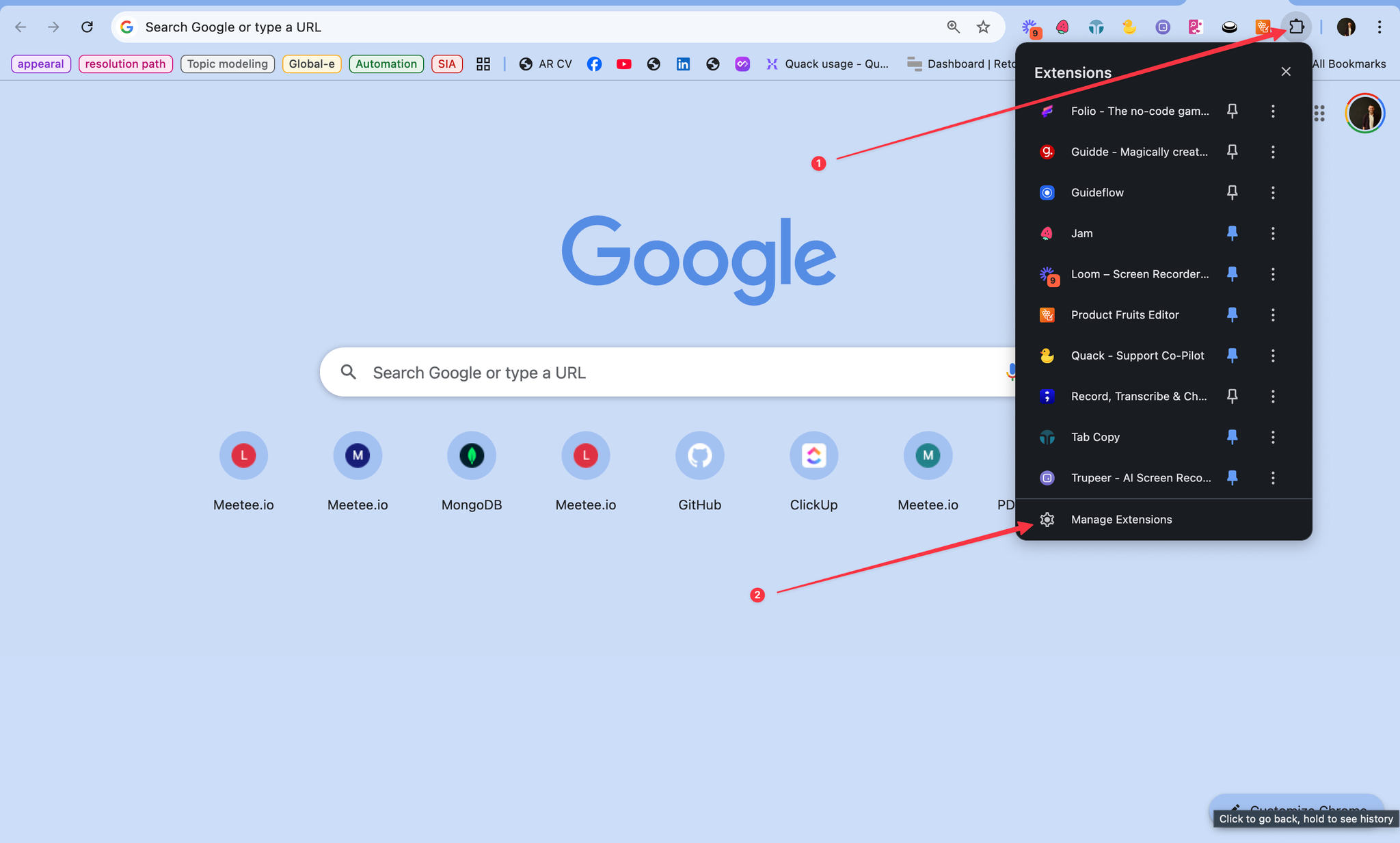
In the top-right corner, turn on Developer mode.
Click the Update button.
You’ll see the Version number change once the update is applied.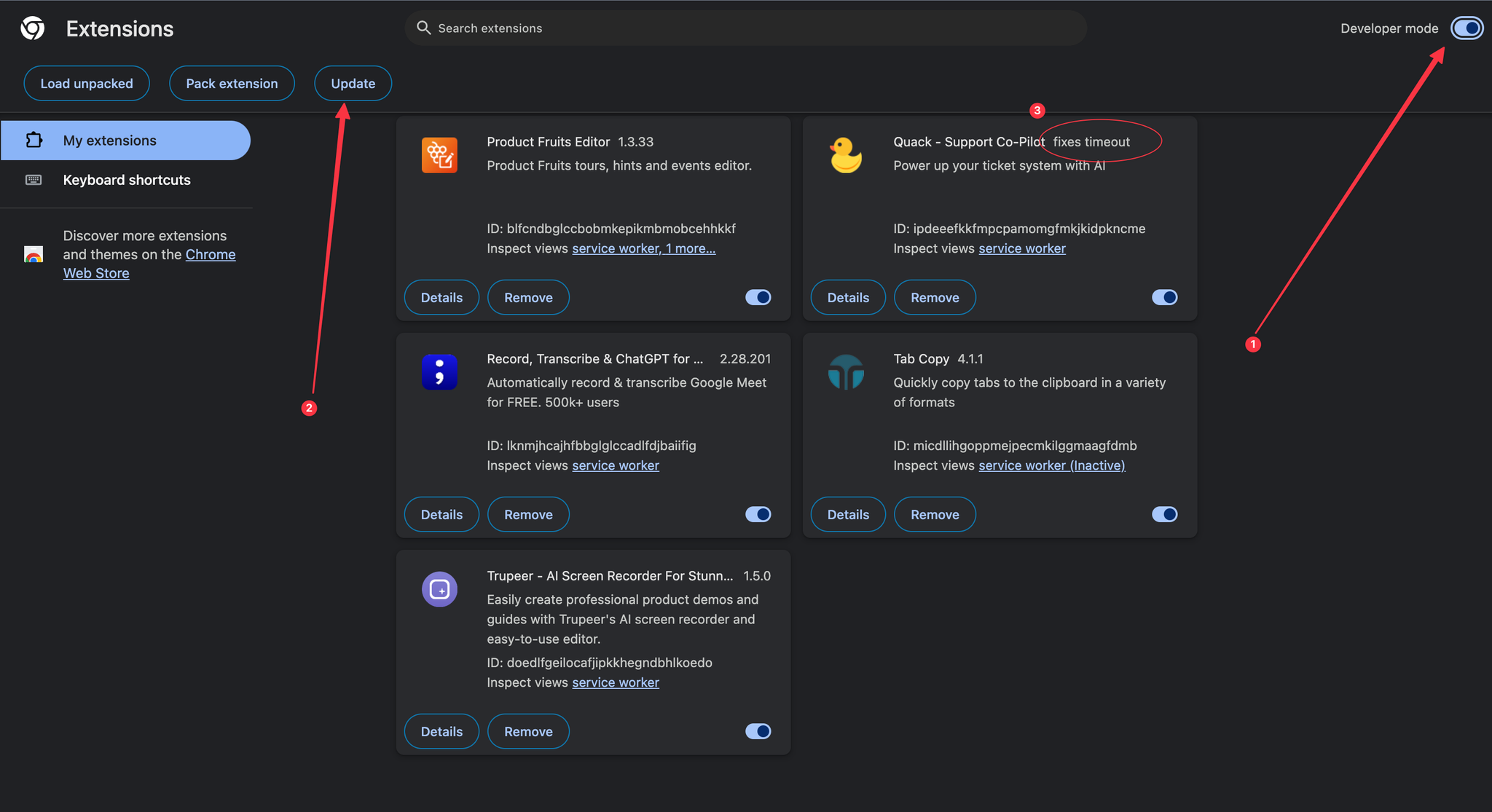
Return to your ticketing system, refresh the page, and open Quack Copilot again.
💡 Pro Tip: If the version doesn’t update right away, try closing and reopening Chrome before repeating the steps.
Was this helpful?
Still need help? Share an idea