Validations in Quack AI
What is Validation
Validation is the process of reviewing a sample of AI-scored interactions to compare human vs AI assessments. This feedback loop helps train the model, improve AutoQA accuracy, and track ongoing performance.
💡 Pro Tip: Regular validation ensures that your AutoQA scores remain consistent with your team’s quality standards.
Why Use Custom Validation
Custom Validation lets you focus reviews where they matter most, without manually checking every interaction.
Key benefits:
Focus on impact: Prioritize high-risk or high-value cases.
Save time: Improve QA quality efficiently by sampling instead of reviewing all tickets.
Customize your process: Tailor sampling to your team’s needs, channels, or goals.
Refine AutoQA: Each validation helps the AI learn and improve over time.
Setting Up Custom Validation
You can set up validation directly from your scorecard settings to define when, how often, and what type of tickets get reviewed.
Steps to Create a Custom Validation Set:
Go to Step 3: Validate when creating or editing a Scorecard.
Choose a validation volume (e.g., 50 interactions).
Select a validation frequency: Daily, Weekly, Bi-weekly, or Monthly.
Click Advanced Logic.
Use +Add Rule to filter which interactions are sampled.
Examples:
Channel is Chat AND Priority is High
Topic is Billing Issues
💡 Pro Tip: Use targeted rules to focus your validation set and reduce review noise
Reviewing Validation Samples
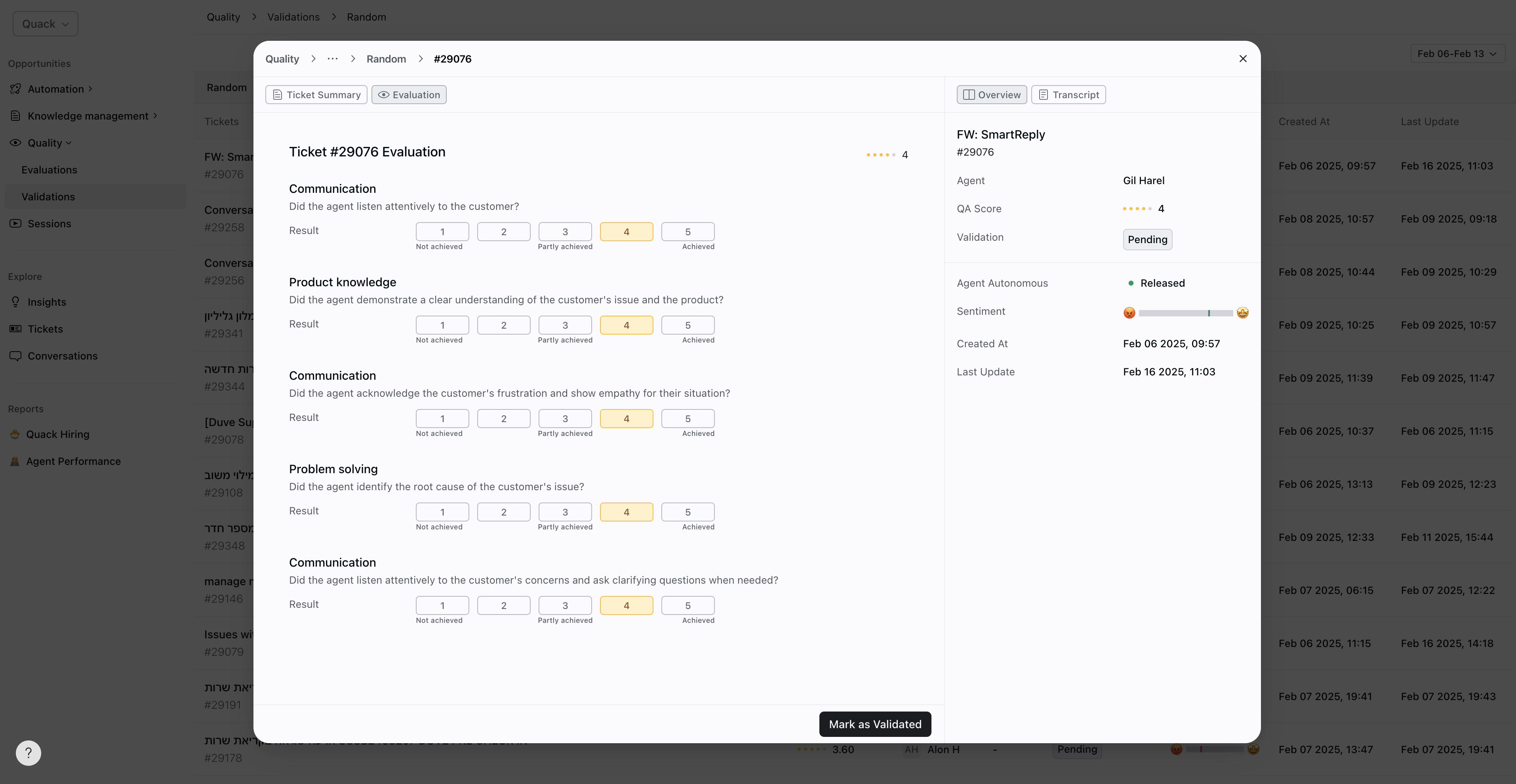
Once your custom validation set is generated, you can manually review interactions to confirm or adjust AI scores.
Steps to Validate Samples:
Open the Validation section under Quality Quack AI.
Select your Custom Validation Set.
Review each ticket’s AutoQA score for accuracy.
Mark tickets as Validated once reviewed.
This process helps align AI scoring with your internal quality standards and highlights where AutoQA might need retraining.
Tips for Effective Validation
Be strategic: Use targeted rules to focus on high-impact areas.
Stay consistent: Review samples regularly to detect scoring drift or model issues early.
Align with QA goals: Match validation frequency to your review capacity and performance tracking needs.
Close the loop: Use validation results to refine your scorecards and AI training.
Benefits of Validation
Improves AutoQA Accuracy: Refines the AI’s grading logic through real human feedback.
Ensures Consistency: Keeps scoring aligned with your internal quality standards.
Identifies Trends: Highlights recurring issues or shifts in support quality.
Drives Better Training: Turns validation insights into targeted coaching opportunities.
Enhances Efficiency: Focuses manual reviews where they have the most impact.
💡 Pro Tip: Combine validation insights with your QA dashboard to spot improvement trends faster.
Final Notes
Validation is a cornerstone of support quality assurance. By setting up custom validation sets and reviewing samples consistently, your team can maintain accurate AutoQA scoring, enhance agent feedback, and ensure every customer interaction meets your quality standards.
Was this helpful?
Still need help? Share an idea