Versions Center
The Versions Center gives you a detailed timeline of your training center’s progress: every release, edit, and piece of feedback in one place. It’s your go-to hub for understanding how training is evolving and performing over time.
How to Access the Versions Center
Go to Training Center from the left-side menu.
Select the AI Agent you want to review.
In the right panel, click Version Summary to open the Versions Center.
Each version includes:
Number of live topics
Number of tested interactions
Feedback received
Publishing date
You’ll see every version - from your first release to the latest. If you’re actively training, newer (unpublished) versions will appear automatically.
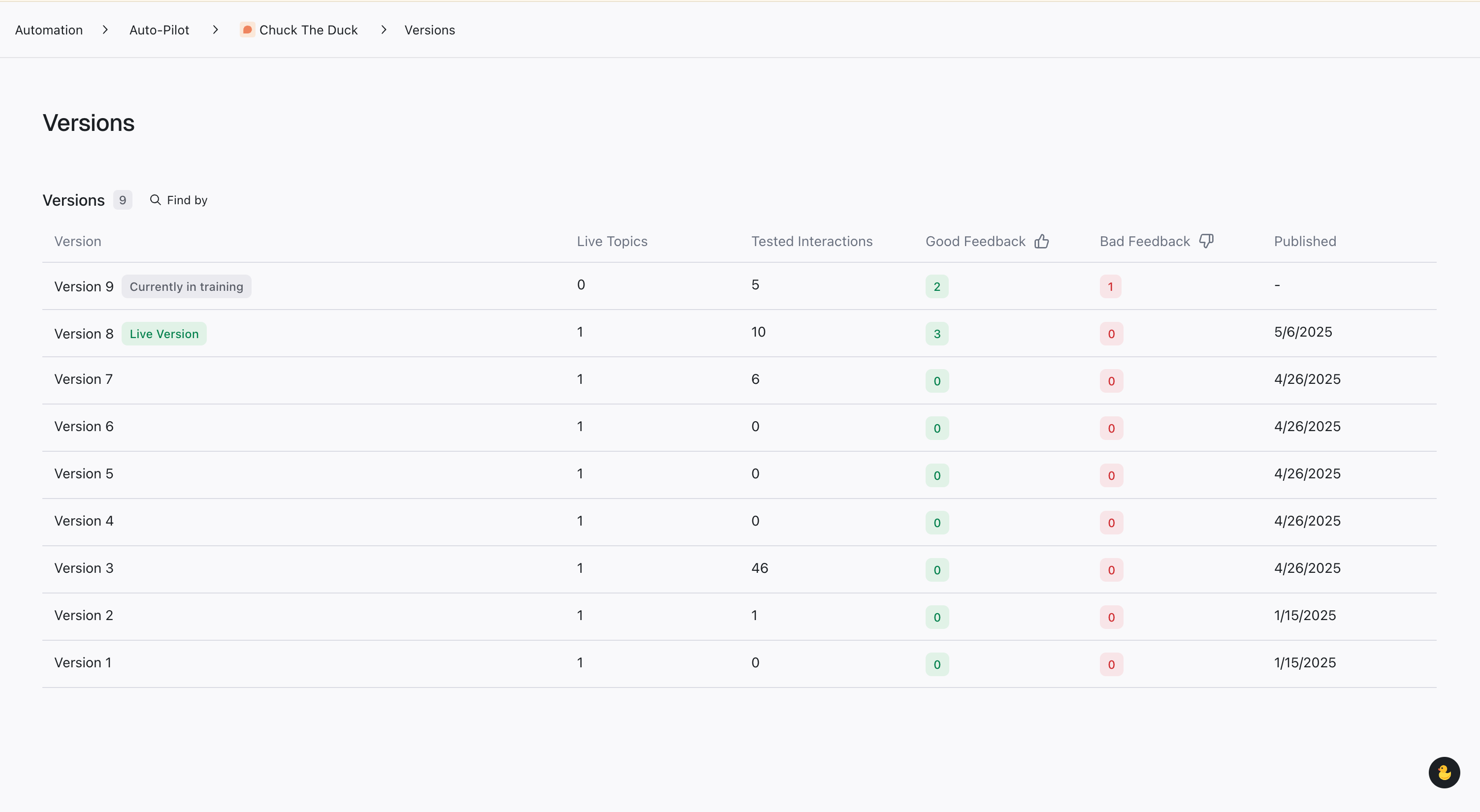
💡 Pro Tip: Versions update automatically as you train. You don’t need to publish for changes to be tracked.
Exploring a Specific Version
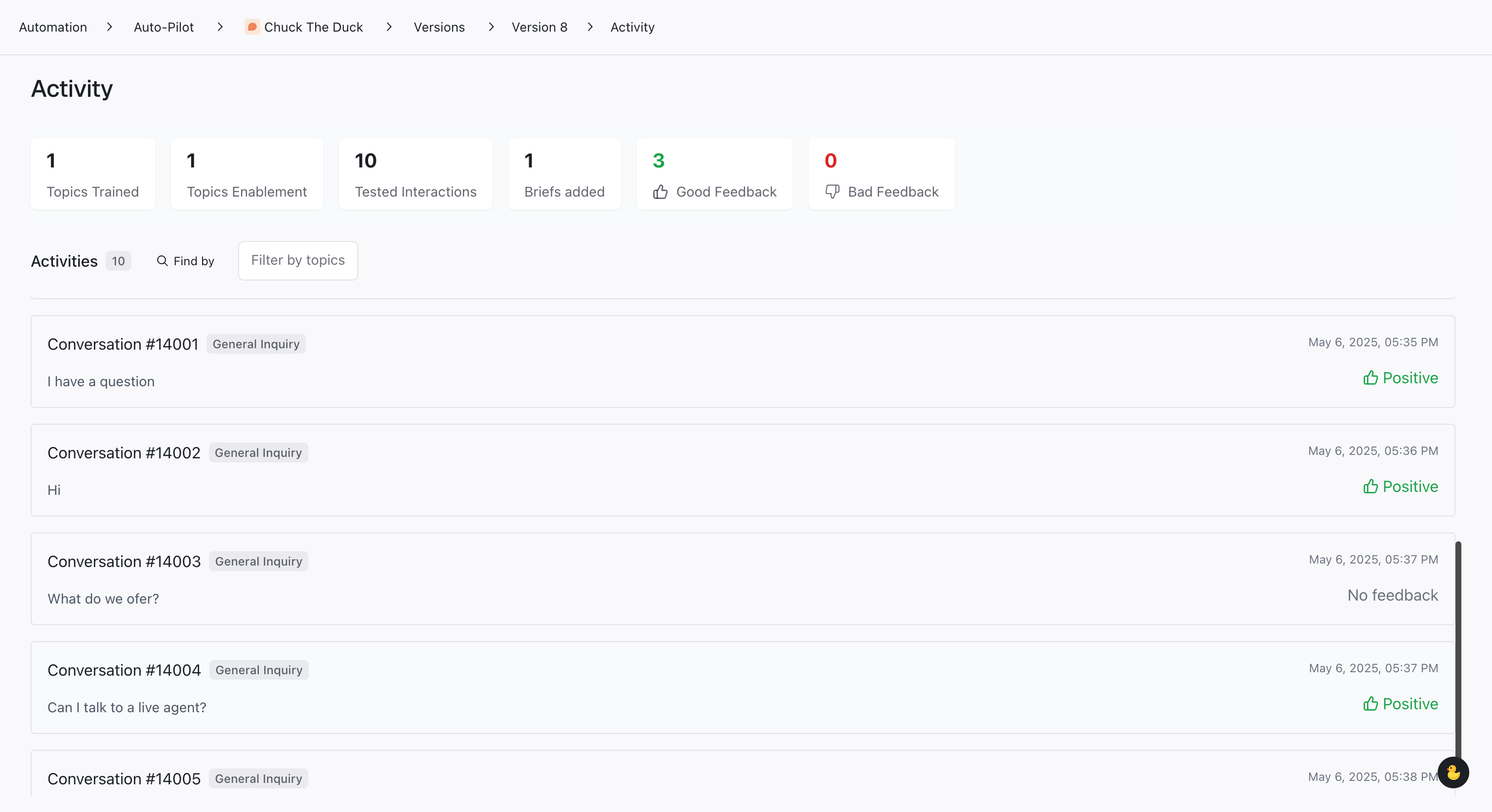
Click on any version to open its summary. For example, selecting Version 8 (current live version) displays:
Total conversations trained
Feedback summaries
Instruction updates
Released topics
Select See all activity to view detailed logs of each training session and feedback entry.
Using Filters and Search
To find specific data:
Use the search bar to look for keywords in feedback or training content.
Apply filters by topic to focus on specific areas of improvement.
These tools help you track progress on targeted improvements quickly.
Viewing Individual Training Sessions
To review a session:
Click a conversation in the activity list.
You’ll see:
The customer’s first message
The assistant’s response
The full transcript
Any feedback and timestamps
This gives you context on how the assistant handled each interaction.
Reviewing In-Progress Versions
Even if a version isn’t published yet, you can still:
View all training activity
Check recent feedback
Drill into conversations needing attention
Why Use the Versions Center
The Versions Center gives you full visibility into how your AI Agent improves over time. Use it to:
Monitor training outcomes and feedback trends
Track releases by topic or instruction changes
Compare past and current performance
By analyzing version history, you’ll uncover patterns that help refine your AI’s performance continuously.
Related Articles
Was this helpful?
Still need help? Share an idea